Русский
Центр технической помощи  Руководство для пользователей Постоянные прокси
Руководство для пользователей Постоянные прокси Proxifier Configuration Tutorial
237 Несколько дней назад
Please obtain the IP before configuration
Please refer to the tutorial:
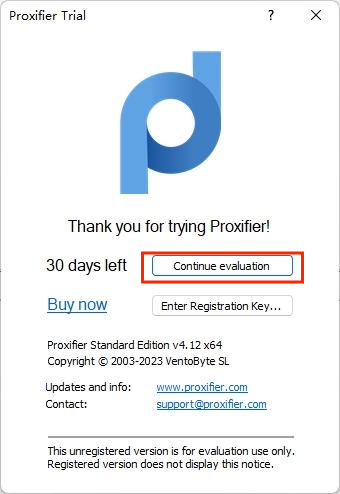
1. Download and open Proxifier
2. Click Proxy Service - Click Add
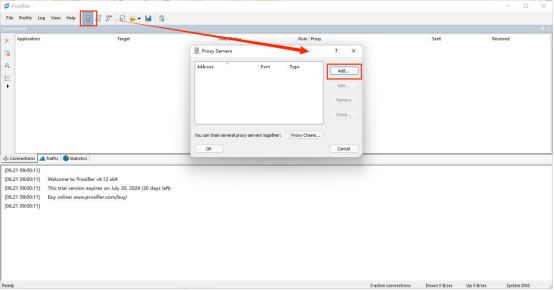
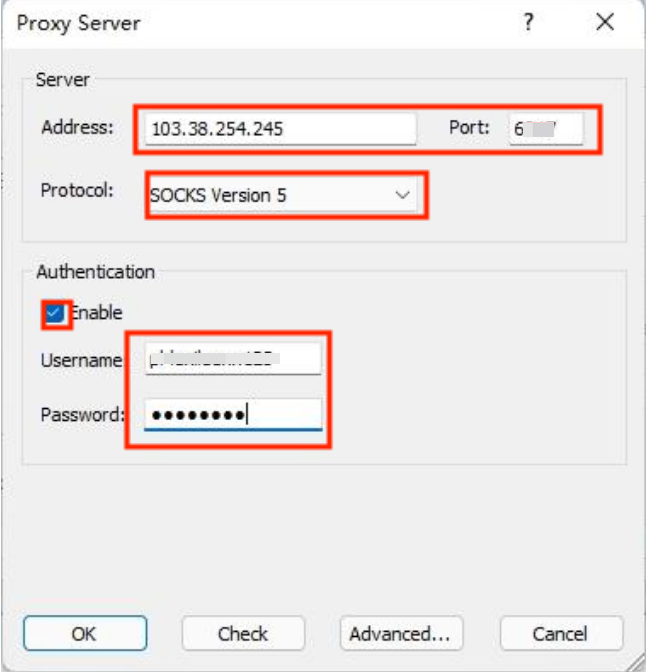
3. Select the proxy type "socks5" or "http"
4. Fill in the Lumiproxy proxy host: 103.38,254,245; proxy port: 6011
Then continue to fill in the proxy account and proxy password.
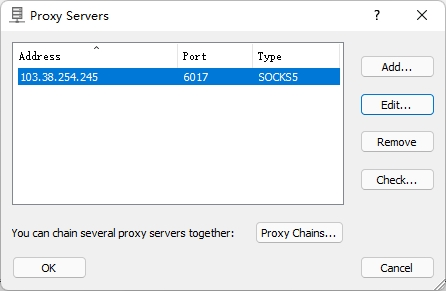
6. Finally check the proxy, we can see the IP after the proxy is successful
Нужна помощь? Электронная почта: [email protected]